Show it, don't shout it
Kids can't feel "stay closed." They can see their skeleton next to yours. Freeze the frame, point at the line, done.
Real swing · real skeleton · traced by the app
Video Overlay traces every joint with on-device AI, lays two reps on top of each other, and measures exactly what changed. Any sport. Any level.
$59.99 once · iPhone & iPad · no subscription
The problem with video
Two swings can look identical at full speed and be twenty degrees apart at contact. Pull the skeleton out of the footage, stack the reps, and the difference stops being an opinion.
Four ways to look
Load two reps — the same athlete on two days, or a player next to a model rep. Then switch views in a tap.
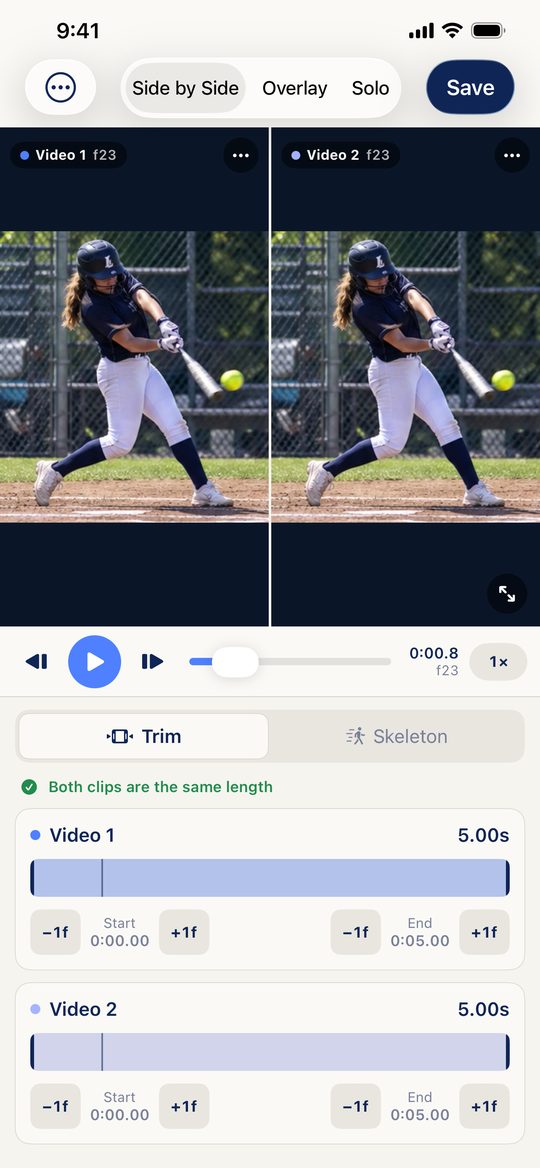
Real screen · iPhone
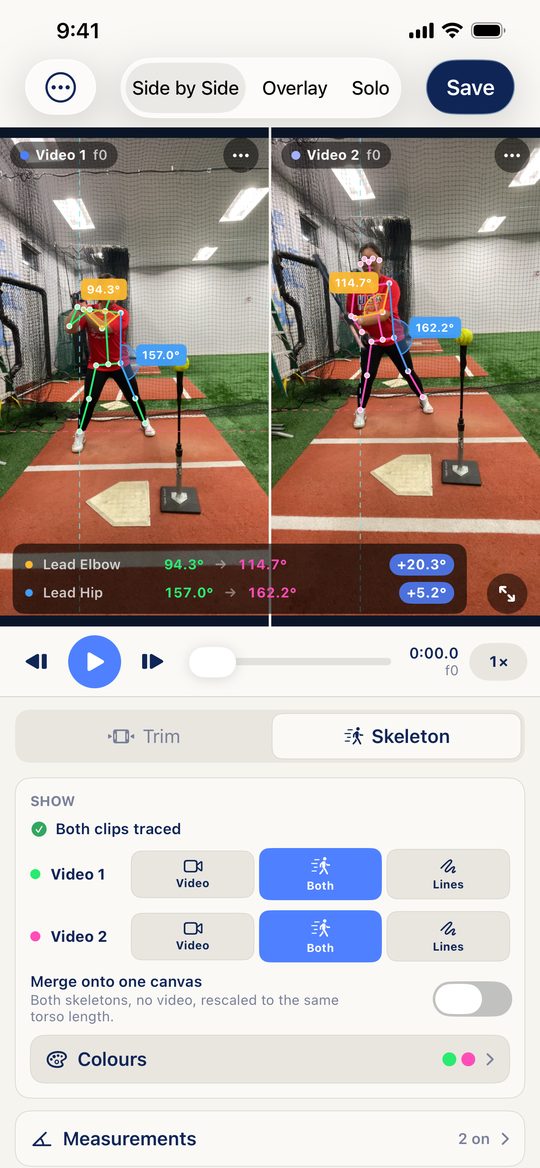
Real screen · live angle readout
Angles, not adjectives
Pick the joints that matter to your sport and Video Overlay measures them on every frame, for both reps, with the difference right beside them.
Plus plumb and ground reference lines, and your own colors for every bone and arc. Angles come from a single camera, so compare clips filmed from the same spot — they are a coaching reference, not a clinical measurement.
The view nothing else gives you
Video can only be overlaid when two clips were filmed the same way. Skeletons can always be. Merged mode anchors both athletes at the hips and scales them to the same torso length, so what's left on screen is posture — nothing else.
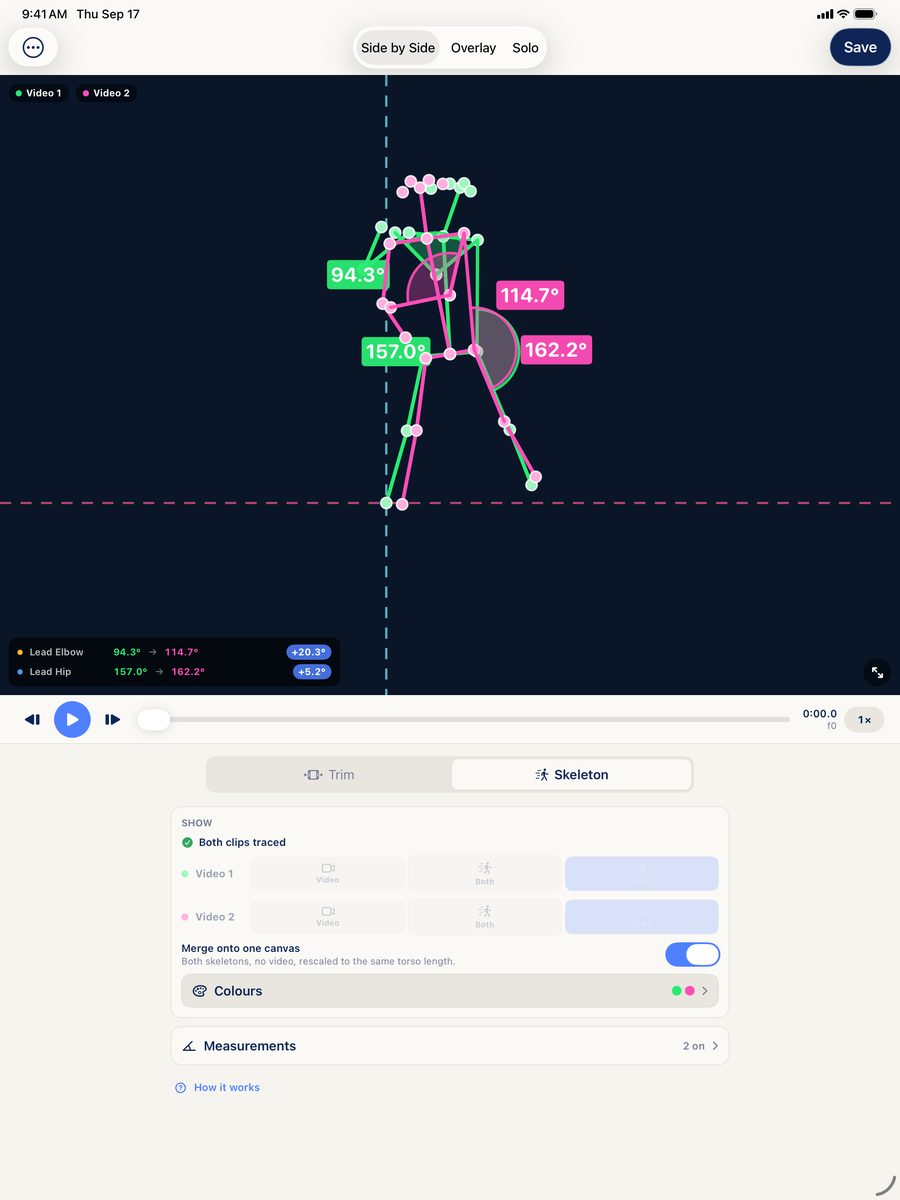
Real screen · iPad
Built for every sport
Coaching and training at every level
Kids can't feel "stay closed." They can see their skeleton next to yours. Freeze the frame, point at the line, done.
September's rep against March's. Parents, players and recruiters see the change in degrees, not adjectives.
Did the adjustment hold under game speed? Measure the same joints across reps and keep the numbers honest.
Film the first rep, film the last, merge them before the athlete leaves. Save the comparison straight to Photos to send home.
Put today's swing on top of the one that felt perfect and find exactly where it drifted.
Squat depth, hip hinge, spine tilt, landing mechanics — the same tools work for any movement a camera can catch.
How it works
Pick any two clips from your library — filmed on any iPhone or iPad. Trim each to the motion that matters.
Video Overlay traces the joints on-device. Line the reps up on body points, shift either one a frame at a time, then play both at 0.25×, 0.5× or 1× or step frame by frame.
Video with lines, lines only, or merged skeletons — the saved video matches the screen exactly. Share it with the athlete in seconds.
Unedited screen recording
One price. Yours for good.
one time · no in-app purchases
Requires iOS 17 or later. Charged to your Apple Account. Price in USD; may vary by region.
Video Overlay is an iPhone and iPad app that traces every joint with on-device AI, lays two reps on top of each other, and measures exactly what changed.
It has four views: Side by Side, Overlay, Video + Lines and Merged. You can load the same athlete on two days, or a player next to a model rep.
Yes. It measures joints such as the lead and back elbow, shoulder, knee and hip, plus spine tilt, shoulder line and hip line. Angles come from a single camera, so compare clips filmed from the same spot. They are a coaching reference, not a clinical measurement.
Any sport. If the camera can see the athlete, Video Overlay can measure the motion.
No. Everything runs on the device and no frames are uploaded.
Video Overlay is a one-time $59.99 purchase for iPhone and iPad, with no subscription.